blog strategy
Why I Just Lost 30 Blog Posts To A Login Wall (And What It Taught Me About Owning Your Content)
A SaaS service broke around 30 of my Shopify blog posts overnight. Here is the Pattern A vs B test that prevents it h...
This guide provides a straightforward process for setting up Tap to Pay on mobile devices using Shopify, enabling businesses to accept contactless payments directly through their smartphones. By following the steps outlined, users can quickly enhance their payment options, streamline transactions, and improve customer convenience. It's an essential resource for anyone looking to modernize their payment methods and boost sales efficiency.
1. Go to "Settings" on your Shopify dashboard and navigate to "Payments" > "Tap to Pay on mobile devices" - Click "Set up"
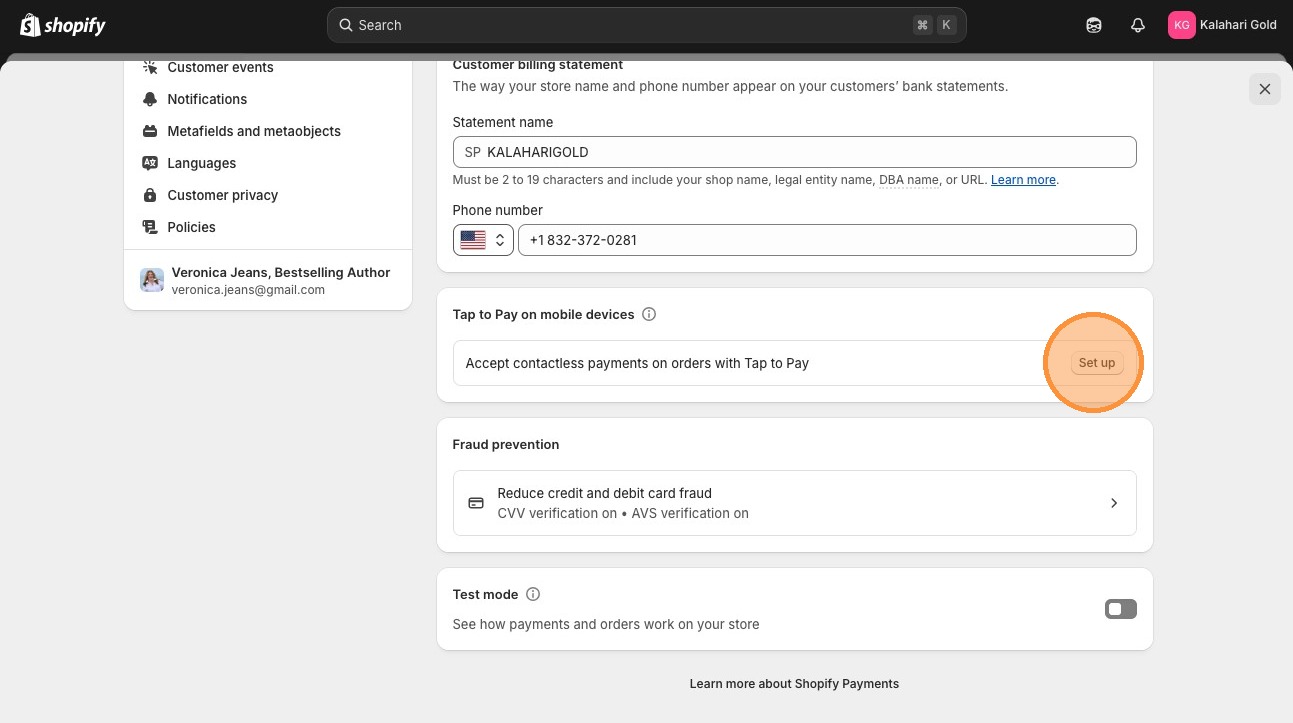
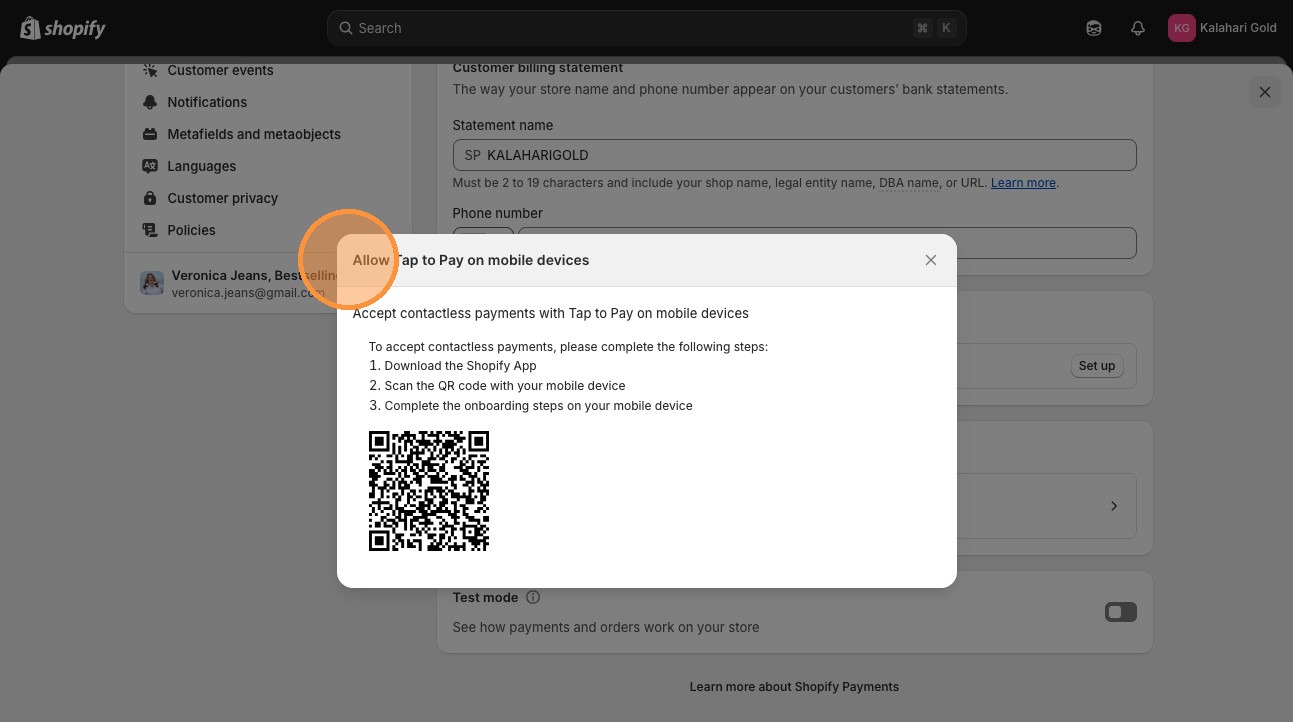
2. Scan the QR code to download your Shopify app (green one)
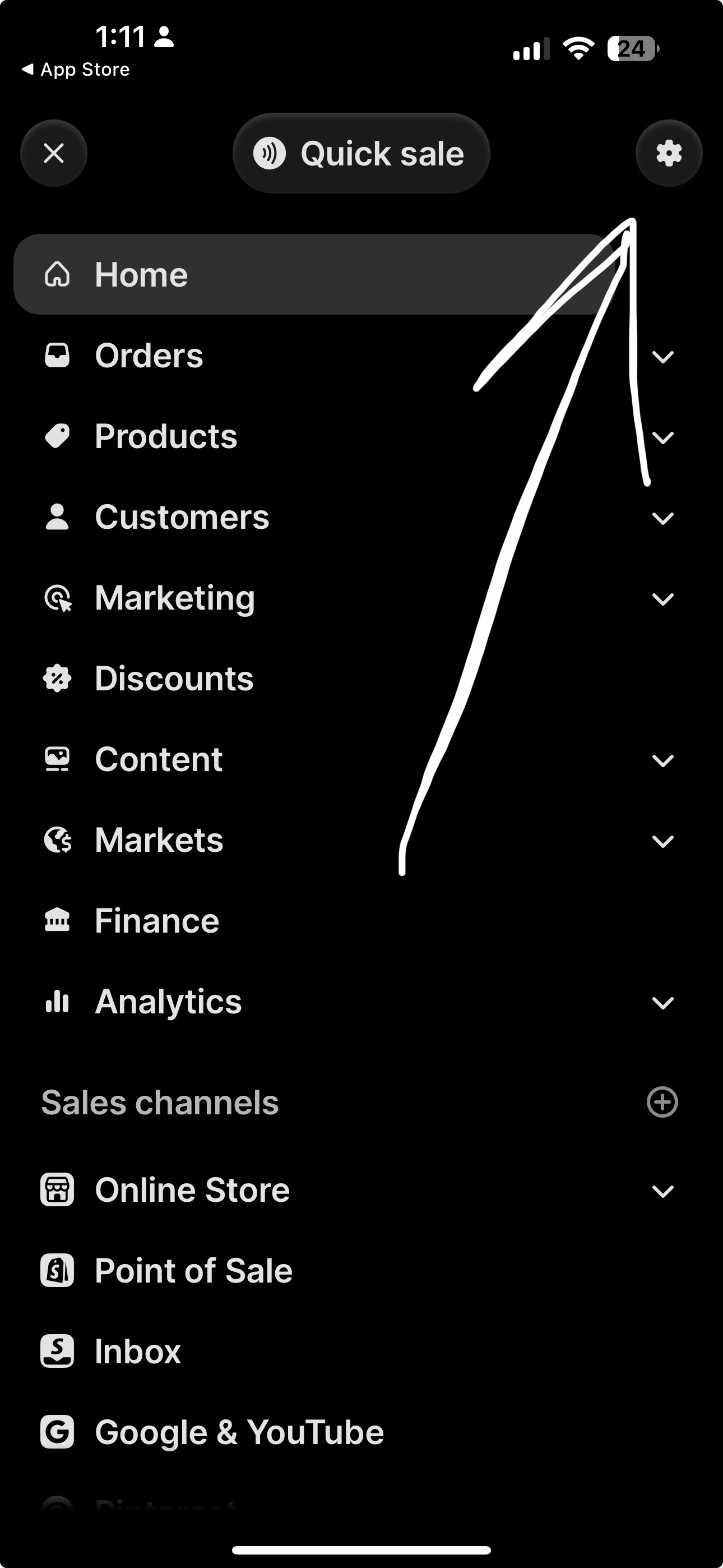
3. In the Shopify App click on the 'gear' icon at the top of the page
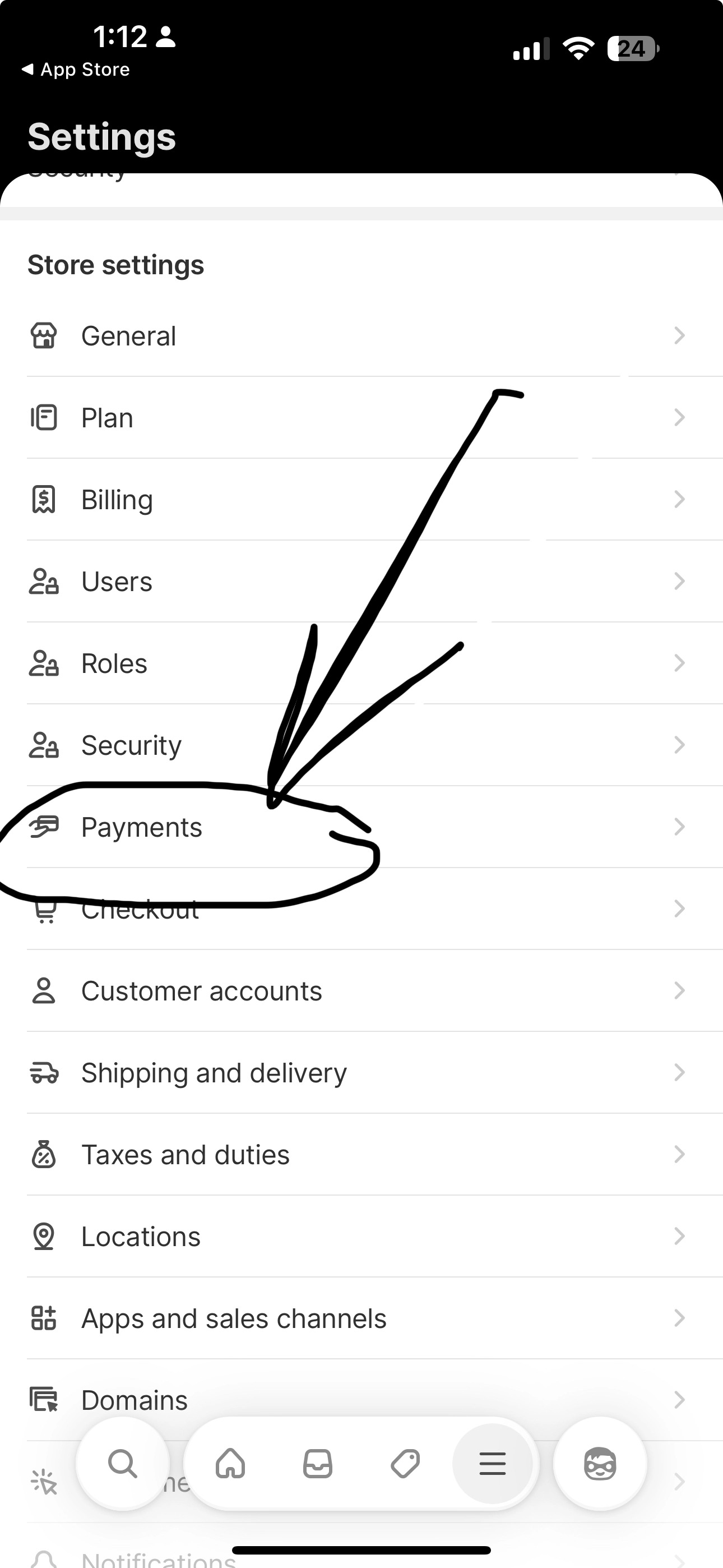
4. In "Settings" click on "Payments"
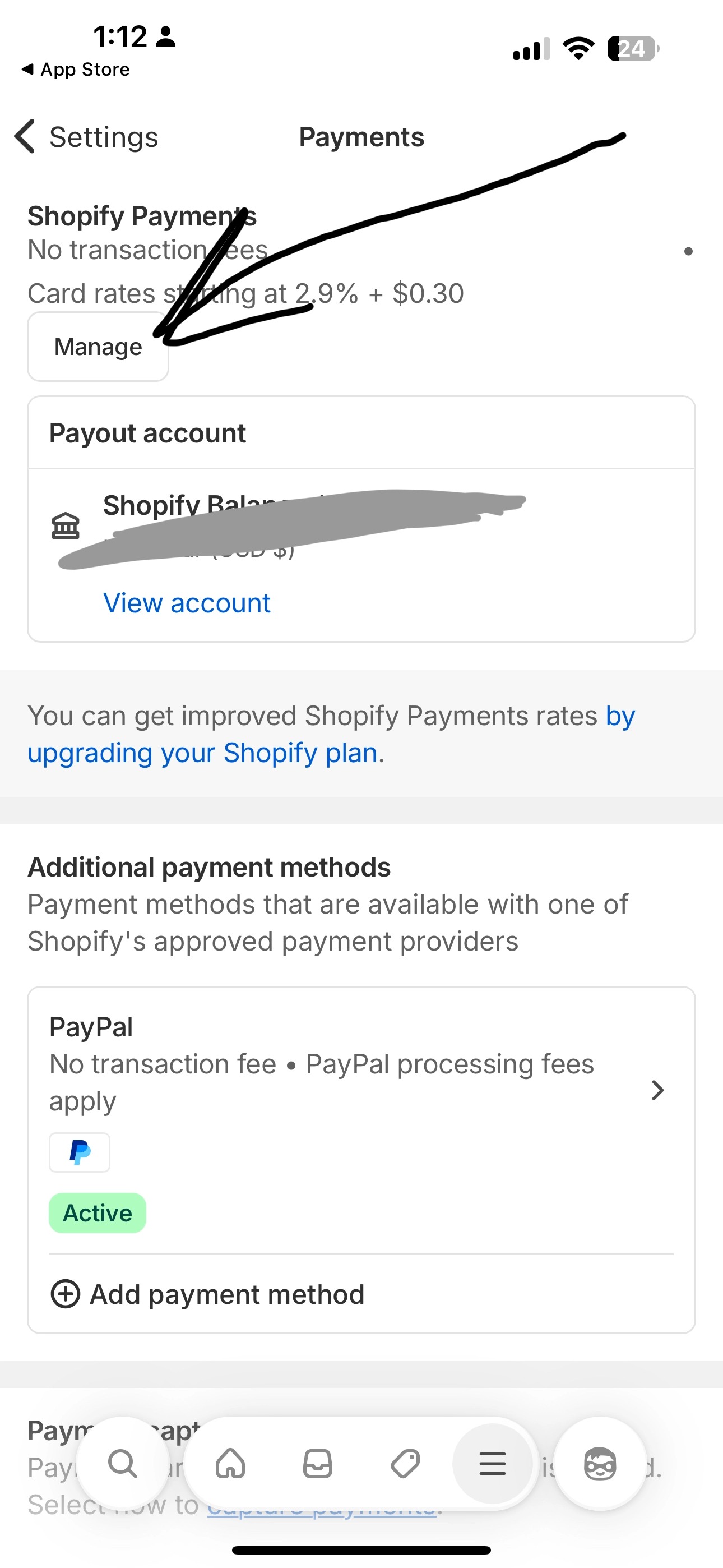
5. Then click on "Manage" in your "Payments" setting
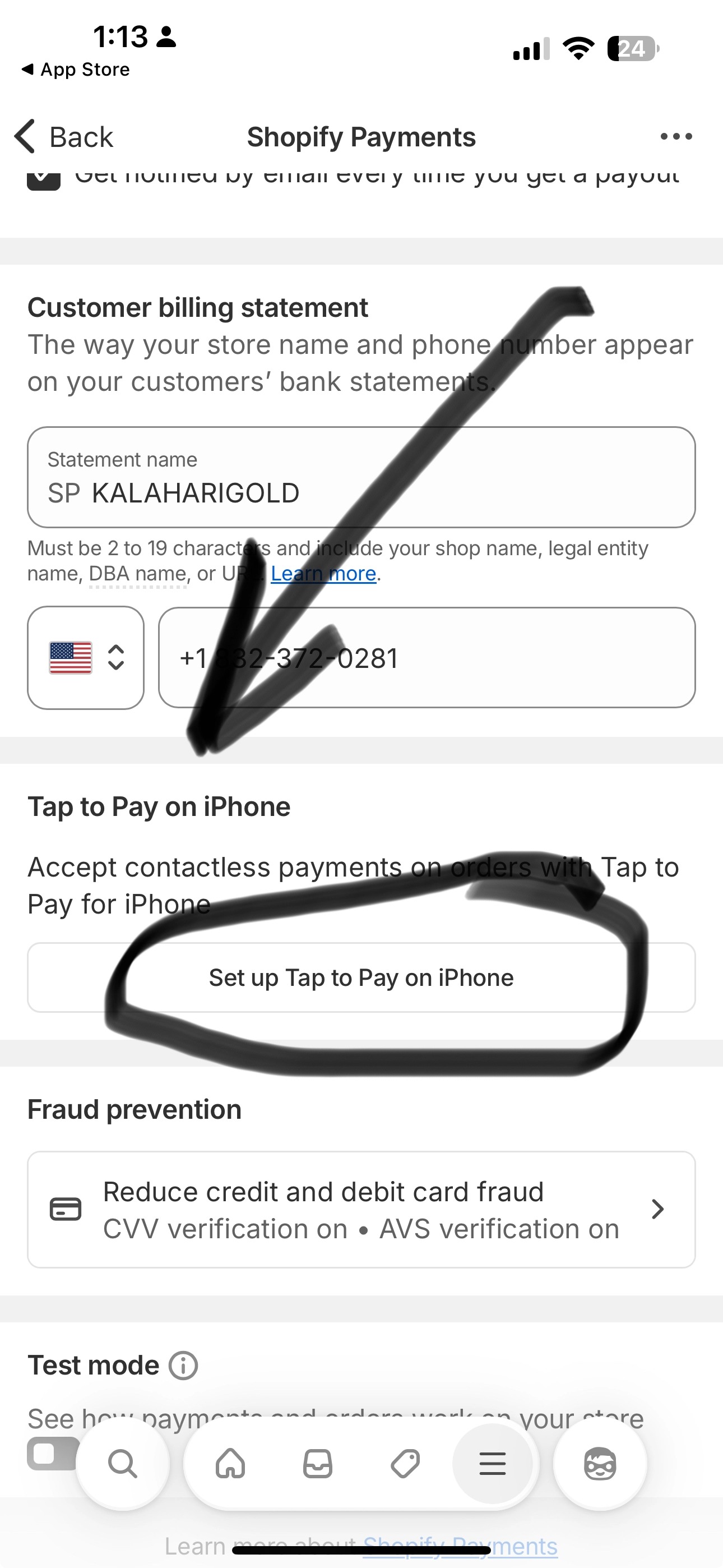
6. Scroll down until you see "Tap to Pay on iPhone" (or whatever your phone model is) and Click on "Setup Tap to Phone on iPhone" or your phone model.
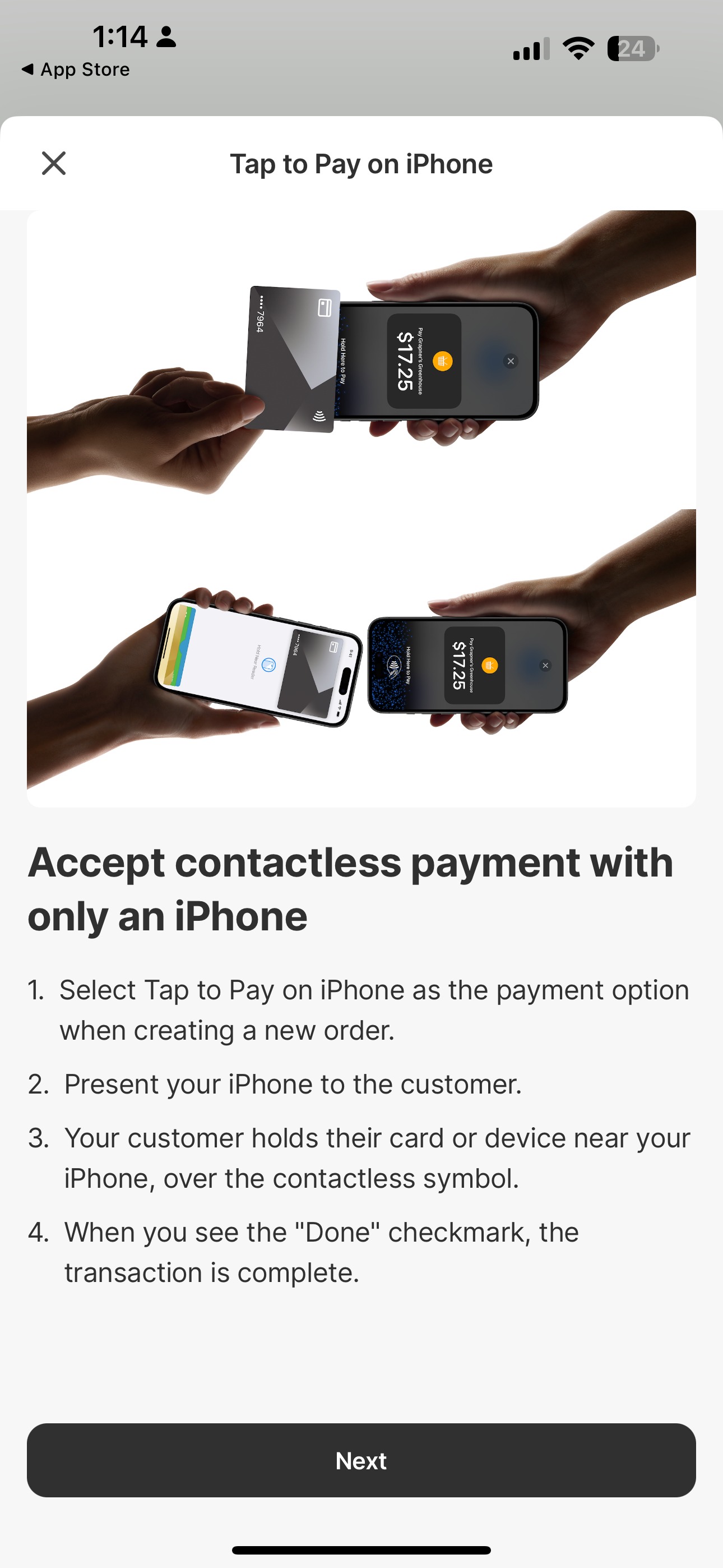
7. Now follow the steps - Click "next" and click on "Agree" on the next window and your phone will be set up to accetp contactless payments with only your phone.