
Discounts
The QR Code Trick For Selling In Person Without Touching Your POS
Picture the usual setup. You are at a market, a conference booth, a fundraiser, or a trunk show. Someone else is runn...

You did all the research in the previous article - 'How To Start Your Shopify Store With Your own Domain Name' for your Shopify store name and domain name, and now you can add your domain in Shopify.
Now you will be registering your domain in Shopify or with a third-party host, and find out how to set up your email accounts.
What to expect in this article:
Where to find this in Shopify? Online Store > Domains
When you are in Shopify dashboard, you will find all your different main sections on the left-hand side of the browser window.
It is easy to register your domain in Shopify. Shopify will automatically let you know if somebody else owns the domain you want, and you will have to think of different a domain name if it is not available.
Please pay special attention to the dos and don’ts mentioned in article #1 about domain names.
You have bought your domain through Shopify. You are the proud owner of your domain name.
TIP: A good idea is to register singular or plural of your domain name including a couple of variations.
For Example:
Singular - themissingpiecepuzzle.com
Plural - themissingpiecepuzzles.com
Variations - themissingpuzzle.com etc.
Stay within the same name phrase otherwise, you will have infinite names.
From my experience, please do not ignore this tip, because I can tell you some real sad experiences why you should register singular and plural of your domain name.
So, now you have registered your domain name in Shopify.
Shopify says:
“Shopify doesn't provide email hosting, but if you buy a domain through Shopify, or transfer your domain to Shopify, then you can set up an unlimited number of forwarding email addresses (for example, info@johns-apparel.com) for free.
If you want to send an email from your custom domain forwarding address, then you will need to use a third-party email hosting service. If you are using Zoho Mail or G Suite, then you can connect the hosting service to your domain in Shopify. If you're using another email hosting service, then you can add an MX Record to connect it to your domain by editing your DNS settings.”
If you do not understand the Shopify explanation, you should talk to your hosting company support.
As mentioned previously, Shopify does not host your emails, even if you register your domain with them. Your best option is to get a third-party email hosting company for your domain emails.
Shopify can, however, provide you with forwarding or alias emails as mentioned.
It looks more professional and trustworthy to have a company email address.
Namecheap.com says:
“Email hosting is a service in which a hosting provider rents out email servers to its users. While there are free versions available with many hosting companies, many businesses take advantage of the flexibility and power of professional email services. Professional email hosting takes place when both incoming and outgoing emails are managed by a separate shared or dedicated mail server. “
Setting up your emails with Zoho or G-Suite, it is pretty easy. They have a user-friendly interface and all you have to do is follow the prompts.
Step 1.
This first step is to ‘Manage’ your domain, which means setting up your alias or forwarding emails.
Follow the instructions to set up your email. You will get a ‘metatag text’ from a third-party email host, eg G Suite, that you need to copy and paste into the text box in Shopify when prompted.
**Where to find this? Shopify > Online store > Domains > Manage
So when you are in Shopify and creating your alias email, a text box will pop up and you need to paste the meta-information from your third-party host.
Once you click to continue, you can add your email alias names. Popular ones are info@domain.com or Sales@domain.com.

If you are adding your email from a third-party email host, like G Suite, they will provide you with a Meta tag or TXT. You need to copy and paste to the Shopify information.
Here is how we added the alias emails:

Step 2.
You may have to verify the email address you have added under “General settings” in your Shopify Admin, to connect to your store emails. You will receive your Shopify domain emails in your regular private email inbox. Very cool.

Step 3.
There are a couple of extra steps you need to follow in G Suite. This book is about Shopify and not your email accounts, and I would suggest contacting Google customer support for help. They will lead you through the process step for step.
**Where to find this in Shopify? Online Store > Domains
When you are in Shopify dashboard, you will find all your different main sections on the left-hand side of the browser window.
Step 1.
Click on ‘Connect Existing Domain’ as shown below.

Step 2.
If your domain is registered with a Shopify partnered hosting company, your hosting company name will appear.

Your Shopify partnered hosting company will automatically connect your domain name to Shopify and create all the appropriate DNS (domain name server) entries.

If you are not automatically connected to Shopify by your hosting provider when prompted, follow the instructions Shopify provides or get an expert to help.
Your hosting provider support should be proficient to add the information to your domain information.
Create Your Email Alias or Forwarding Emails
When you register your domain name at a third-party hosting company, you need to add your aliases and forwarding emails with your third-party hosting company.
What is next?
In the next article, we will set up all your business information to run your online store successfully - How Important Is Your Business Information In Shopify #3 - sign up to see all our posted articles and any new Shopify articles coming out soon.
SHOPIFY MADE EASY - Step-by-step Blueprint To Launch Your Online Store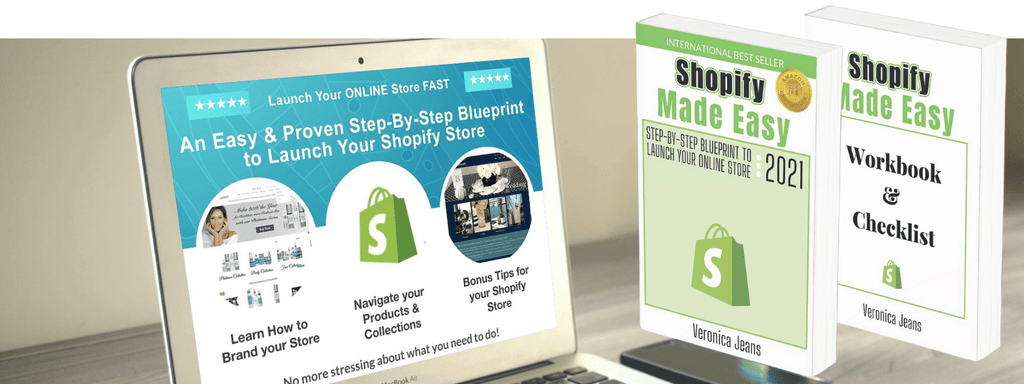
FIND MORE HELPFUL ARTICLES - The helpful guide to starting your Shopify Store
Find my Shopify TOOLS PAGE for more information.
You can join our Facebook group to engage and learn more about Shopify and how to get more customers to your Shopify store. This is a free group.
Ecommerce Success Group - Search for Ecommerce Success Group on Facebook.
